
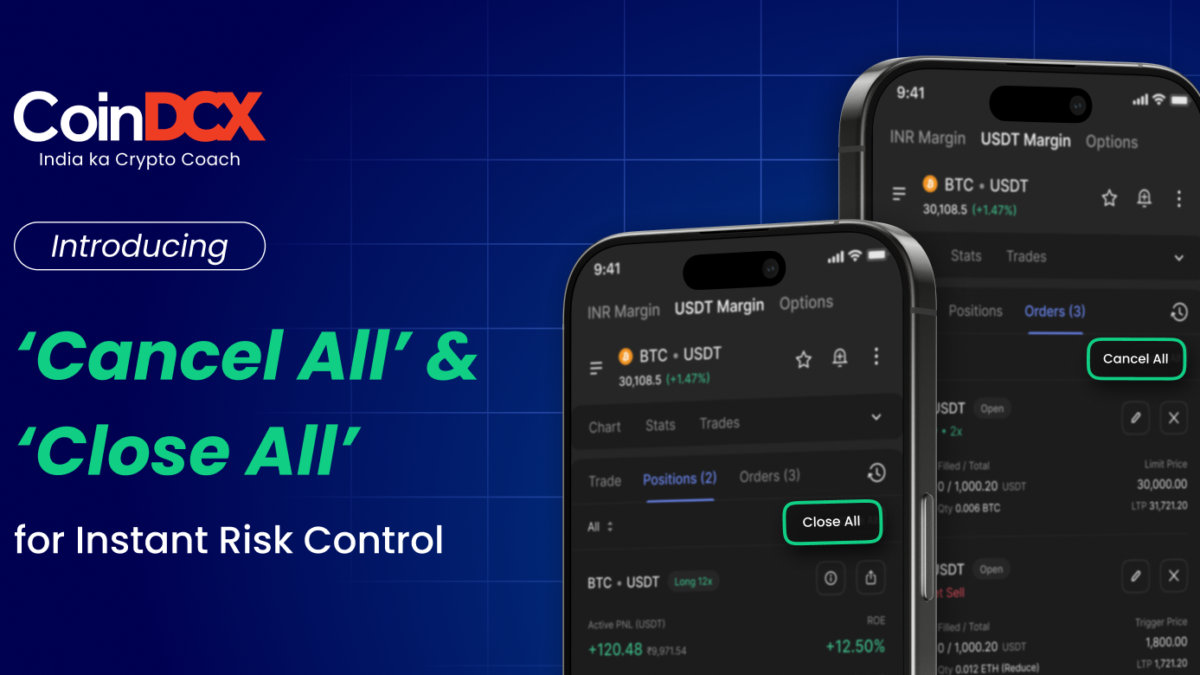


CoinDCX Futures now introduces two powerful shortcuts designed for speed, clarity, and trader confidence.
- Cancel All Orders: Cancel every unfilled open order instantly.
- Close All Positions: The ultimate panic-control button, closes all open positions and cancels all pending orders in a single tap.
These tools are built for scalpers, high-frequency traders, and anyone navigating fast-moving crypto markets where every second matters.
Note: The “Cancel All” and “Close All” features are being rolled out in phases and will become available to eligible users gradually.
Why This Feature Matters
In a volatile futures market:
- Manually closing each position is time-consuming
- Cancelling individual open orders wastes critical seconds
- Traders often panic-click under pressure
The new bulk-action controls let you:
Speed: Exit instantly without navigating multiple screens.
Control: Manage risk cleanly without missing hidden orders.
Confidence: Trade knowing you can unwind everything anytime.
Where You’ll Find “Cancel All” and “Close All”
Both buttons appear on the Futures Trading screen:
- Cancel All → visible under the Orders tab when you have more than 1 open order
- Close All → visible under the Positions tab when you have any open positions
How “Cancel All Orders” Works
Here is the step-by-step process explaining how the cancel order feature works on CoinDCX.
Step 1. Go to Futures → Orders Tab
You’ll see a list of open, unfilled orders. When there is more than one open order in USDT futures, the Cancel All button becomes visible.
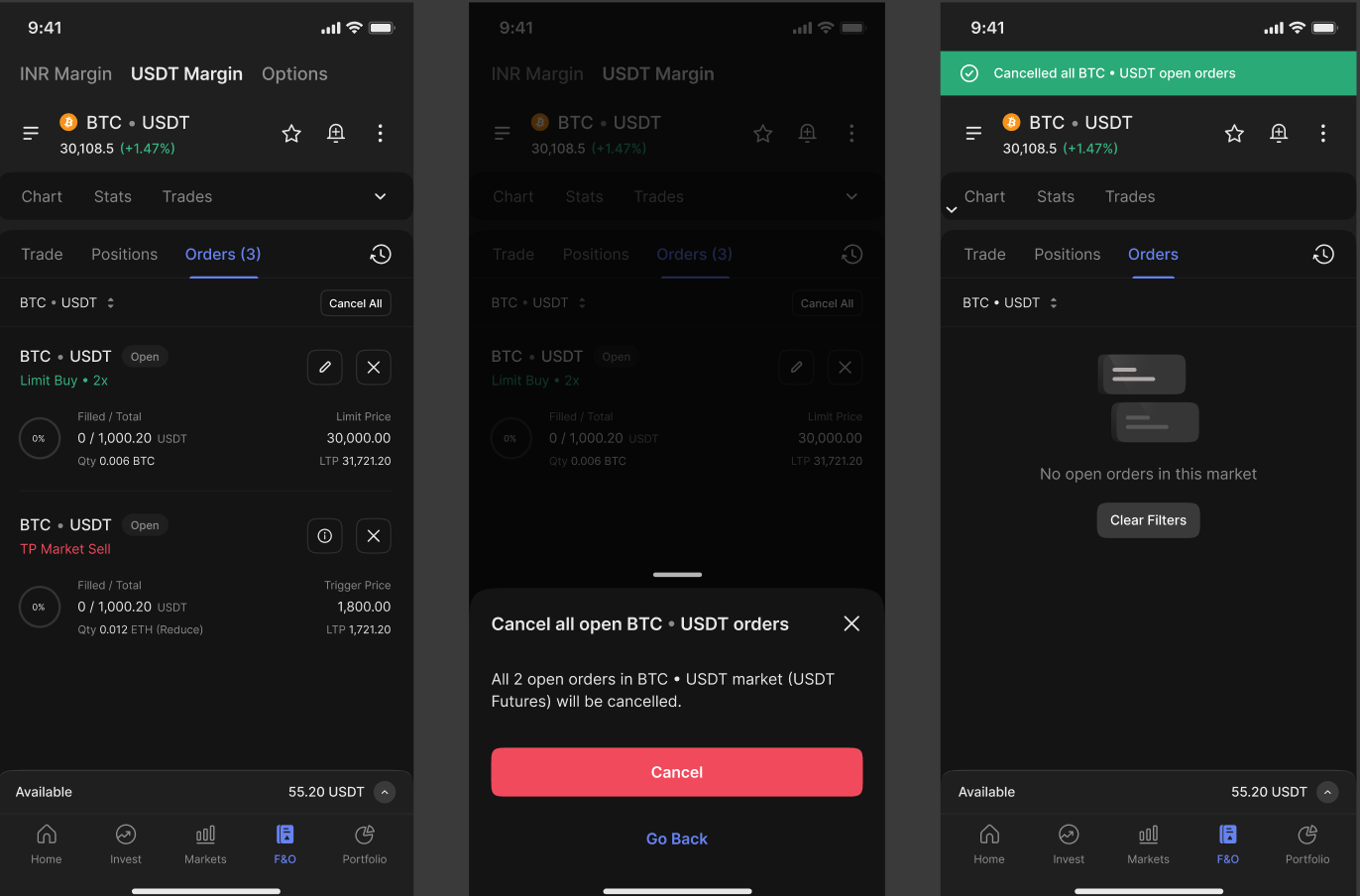
Step 2. Tap “Cancel All”
Tap “Cancel All” to open a confirmation pop-up stating that all open orders in USDT-M Futures will be canceled.
Step 3. Success State
Once all orders of the selected base currency (Either INR or USDT) are canceled:
- You will see the top green success banner
If cancellation fails due to network or exchange issues:
- A red banner appears at the top.
- You can check the unsuccessful orders that remain in the list
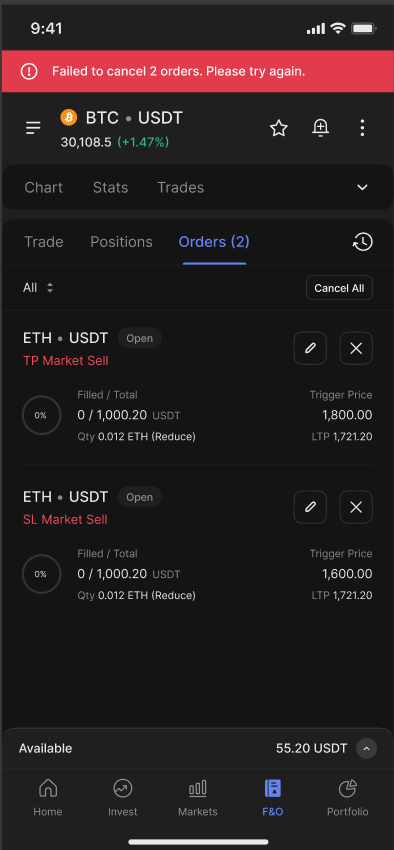
Use case examples:
- Failed to cancel 2 orders
- Partial cancellation if some orders were already filled or modified
How “Close All Positions” Works
Here are the simple steps to close all positions.
Step 1. Go to Futures → Positions Tab
When you have an active position, Close All becomes available at the bottom.
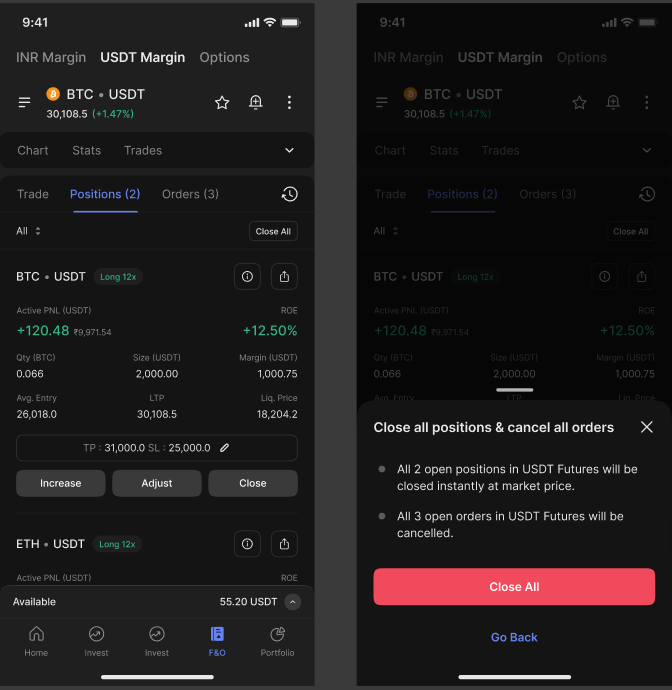
Step 2. Tap “Close All”
A confirmation modal appears summarizing the action:
Text:
Close all positions & cancel all orders
All open positions in USDT-M Futures will be closed at market.
All pending orders will be canceled.
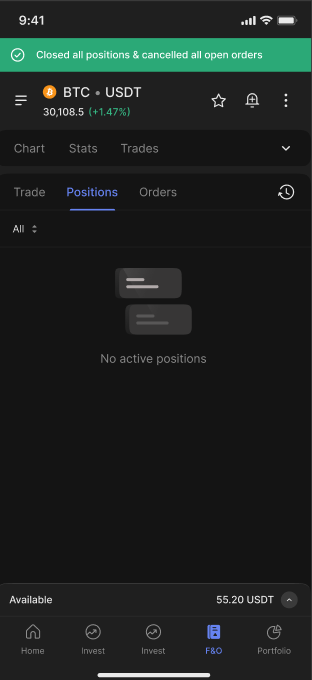
Step 4. Success State
If everything is executed properly:
- Top green success banner
- The positions list becomes empty
- Orders tab becomes empty
Best Use Cases for “Cancel All” & “Close All”
1. Sudden Market Volatility (flash crashes or pumps): When BTC/ETH make violent moves, manually closing orders wastes precious seconds. One-tap Cancel All/Close All prevents unnecessary losses.
2. Scalping & High-Frequency Trading: Scalpers place multiple micro-orders. Bulk cancellation avoids leftover orders accidentally filling at unwanted prices.
4. Avoiding Liquidation Risk: During margin stress, Close All provides an immediate exit to protect the balance.
5. Cleaning Up Before Re-Entry: Before switching strategy or timeframe, canceling all orders ensures a clean slate.
6. High-Impact News Events (FOMC, CPI, ETF approvals): Markets move unpredictably; the panic button empowers traders to control risk instantly.
Pro Tips for Traders
1. Close All executes at market price: Expect slippage during high volatility, this is normal for all exchanges.
2. Check the margin and wallet balance after exiting: Large P&L changes can affect future leverage.
3. Use Cancel All before changing strategy: This prevents forgotten orders from triggering unexpectedly.
4. If a failure banner appears, retry after reconnecting or refreshing: Network congestion or volatility may delay execution, the UI provides clear feedback.
5. Partial failures are normal in extreme volatility
You may see:
- Failed to close positions.
- Failed to cancel orders.
- Failed both.
This ensures transparency so you know exactly what requires manual attention.
6. Always monitor key levels during news drops: If you anticipate a sharp move, pre-identify when to use Cancel All or Close All.
7. Use Close All sparingly: It is a power tool, perfect for emergencies or strategy resets, not daily routine trading.
Conclusion
The new “Cancel All” and “Close All” features in CoinDCX Futures are designed for traders who demand speed, clarity, and complete control, especially during high-volatility moments. With a single tap, you can now unwind your exposure, cancel all open orders, or close every position instantly, without navigating multiple screens or losing precious seconds.
Whether you’re a scalper, high-frequency trader, or risk-aware futures user, these bulk-action controls ensure you stay ahead of sudden market swings and trade with confidence.
Fast exits, fewer errors, and maximum control, now built directly into your trading workflow.


